
Introduction
A website can have great content, strong products, and valuable keywords, but if search engines struggle to crawl it or users have to wait too long for pages to load, organic growth can become difficult. Technical SEO is the foundation that allows search engines to properly discover, crawl, understand, and index a website.
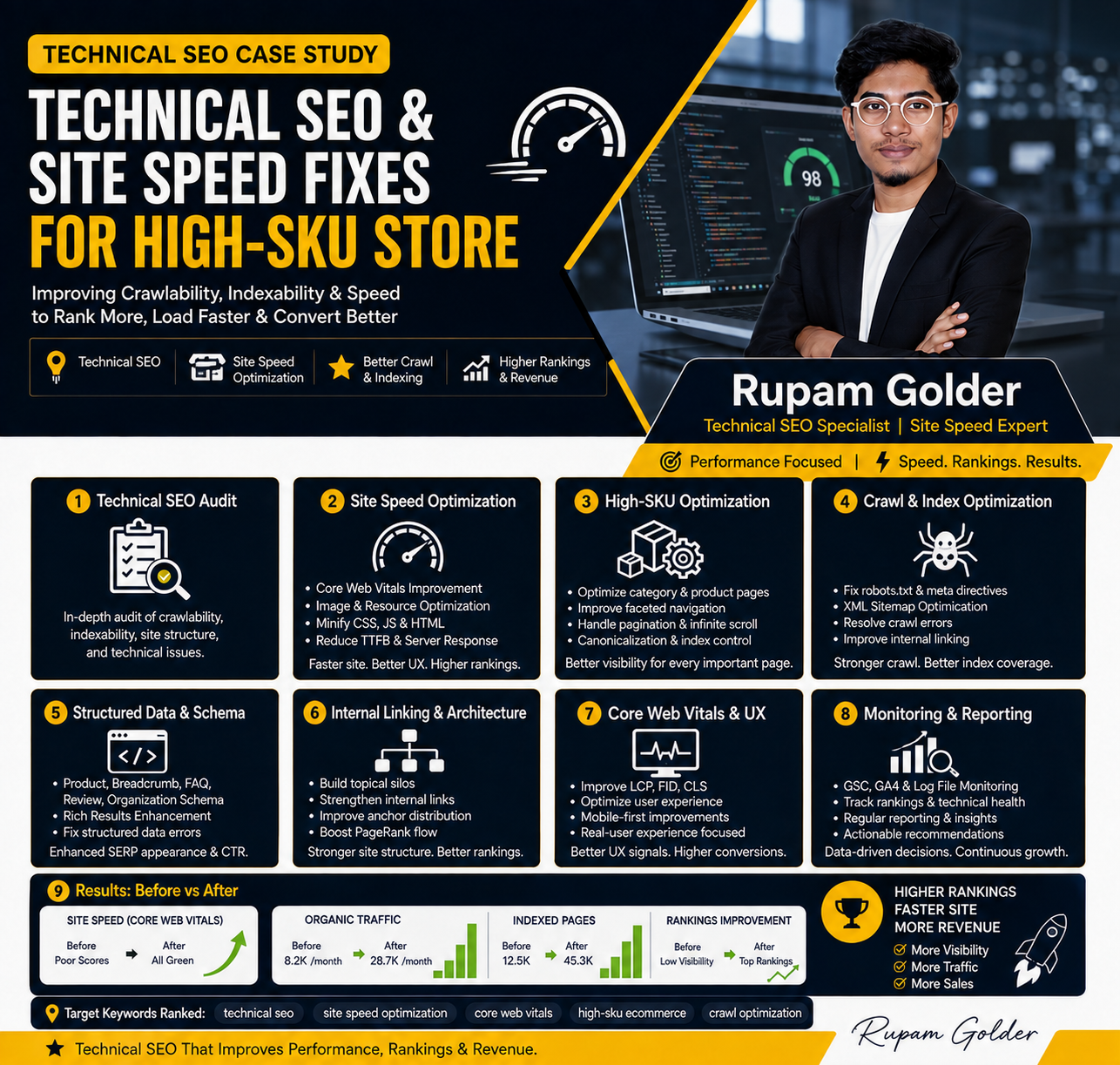
In this case study, I want to share how I approached Technical SEO & Site Speed Fixes for a website that was experiencing several technical and performance-related issues. The goal was not simply to make the website faster. I wanted to create a technically healthier website that could provide a better experience for users while making it easier for search engines to access and understand important pages.
I’m Rupam Golder, an SEO Specialist, and when I work on technical SEO, I prefer to look at the website from both sides: how it performs for real users and how efficiently search engines can crawl and process it.
Identifying the Technical SEO Problems
The first step was to understand what was actually happening behind the scenes.
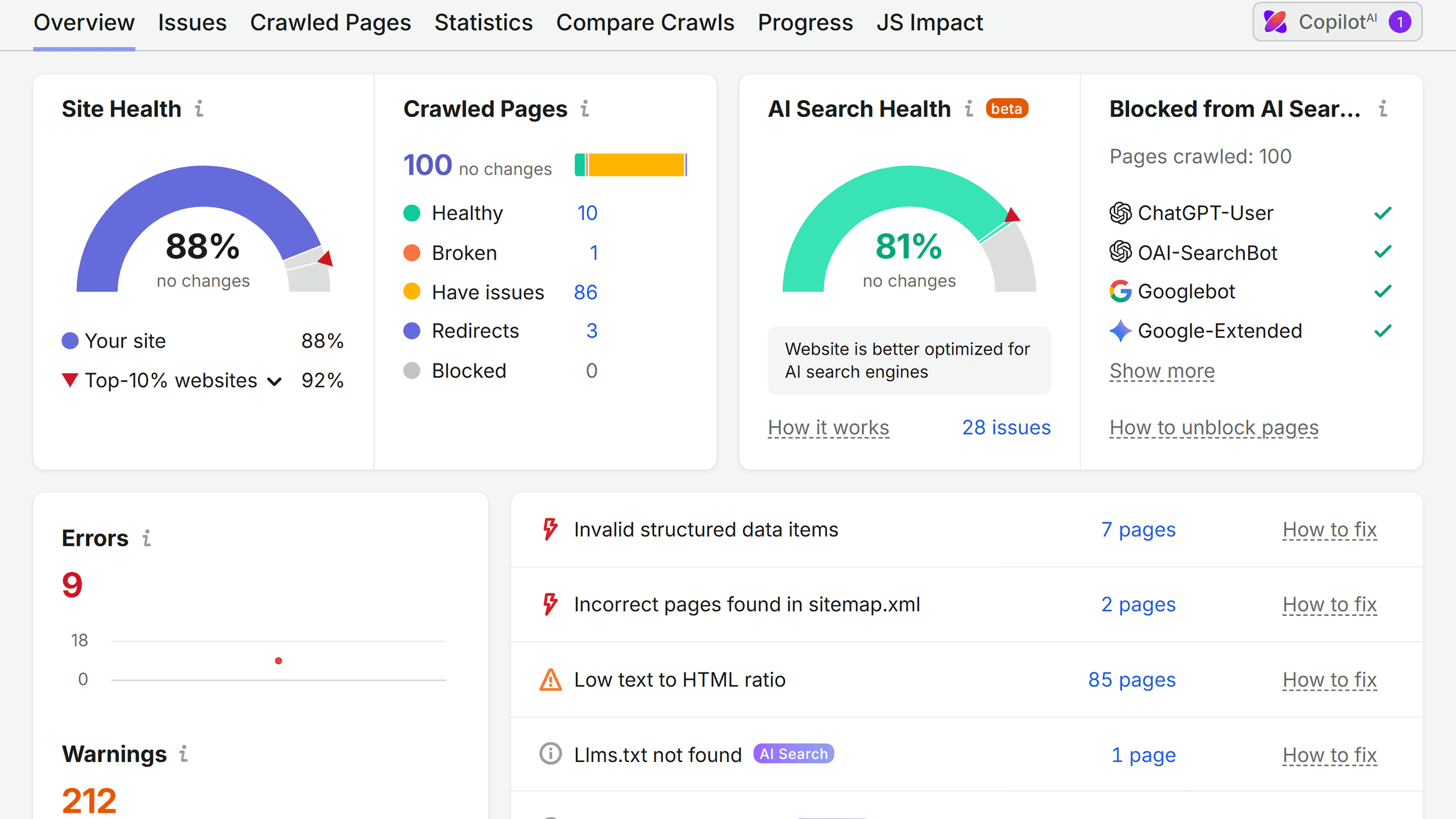
At the beginning of the project, I performed a detailed technical SEO audit to identify problems that could potentially affect organic visibility, crawling, indexing, and user experience. Instead of immediately changing different settings, I first analyzed the website as a whole and prioritized the issues based on their potential impact.
The audit revealed several areas that needed attention. These included page speed issues, unnecessary URLs, crawlability problems, indexing inconsistencies, duplicate or thin pages, broken internal links, improper redirects, large image files, and other technical elements that were affecting the overall health of the website.
Some of these issues were not immediately visible to a normal website visitor. However, when hundreds or thousands of pages are involved, even relatively small technical problems can become significant.
Crawling and Indexing Analysis
One of the first areas I investigated was how search engines were crawling and indexing the website.
A website can have hundreds of valuable pages, but that doesn’t automatically mean Google will crawl and index all of them correctly. Search engines need to be able to discover important pages through links, sitemaps, and a logical website structure.
I reviewed the website’s XML sitemap, robots directives, internal links, indexability signals, canonical tags, and URL structure to identify any barriers that could prevent important pages from being properly discovered.
I also looked for pages that were being indexed unnecessarily. These could include duplicate URLs, low-value parameter pages, outdated pages, and other URLs that didn’t provide meaningful value to organic search users.
The goal was to create a cleaner relationship between the website’s important pages and the pages that search engines actually needed to crawl and index.
Fixing Indexability Issues
Indexability was another important part of the technical SEO work.
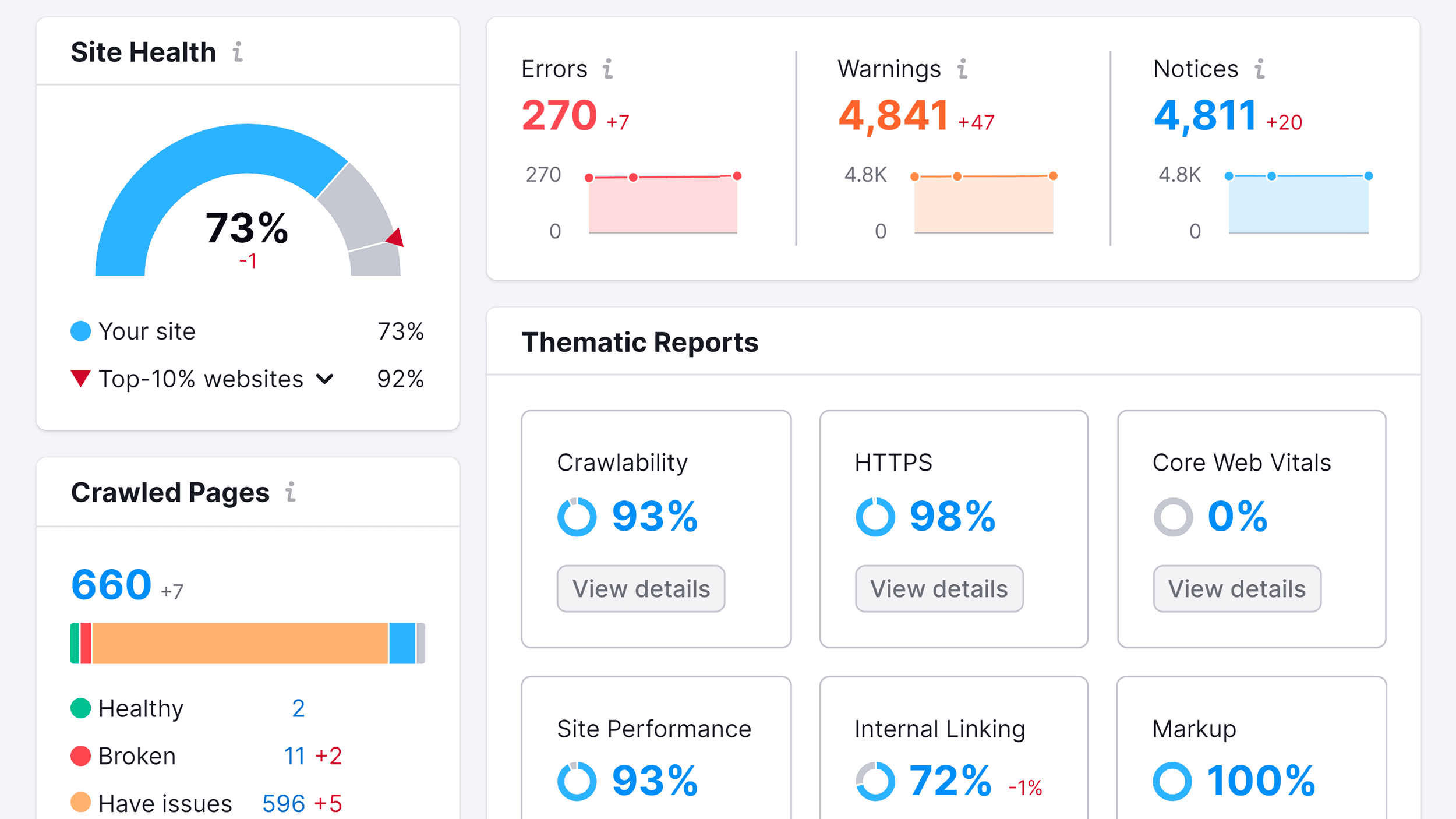
During the audit, I reviewed pages that were not indexed and tried to understand why they were being excluded. Instead of assuming that every non-indexed page was a problem, I evaluated whether each page actually deserved to be indexed.
For valuable pages, I checked for potential issues involving robots directives, canonical tags, internal linking, sitemap inclusion, and page quality.
In some cases, the solution was technical. In others, the page simply needed better content, stronger internal links, or a clearer purpose.
This helped ensure that SEO efforts were focused on pages that could actually contribute value to the website.
Improving Website Architecture
A technically healthy website needs a logical structure.
I reviewed how pages were organized and how users and search engines could move from one section to another. The goal was to make important pages accessible without creating unnecessary layers of navigation.
For an e-commerce website, this becomes especially important because there may be a large number of categories, subcategories, filters, and product pages.
I worked on creating a clearer hierarchy where the relationship between the main sections, category pages, subcategories, and individual products was easier to understand.
A cleaner architecture also made internal linking more meaningful and helped distribute authority across important pages.
Fixing Broken Links and Redirect Issues
Broken links can create a poor experience for users and can also make a website harder to maintain from an SEO perspective.
As part of the technical audit, I checked for internal links pointing to pages that no longer existed or had been moved.
Where appropriate, broken links were updated to relevant live pages. When a page had permanently moved, I reviewed whether a proper redirect was necessary.
I also checked redirect chains and unnecessary redirect hops. A redirect should generally take users and search engines to the correct destination as efficiently as possible.
Cleaning up these issues helped create a more reliable website structure.
Improving URL Structure
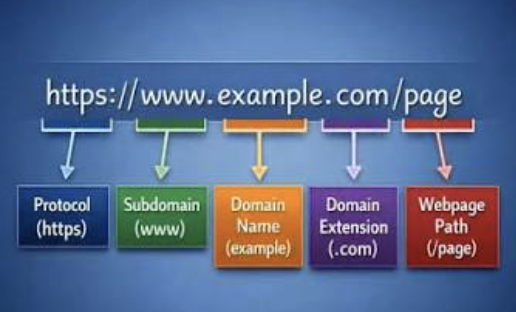
URL structure is another area that is often overlooked.
I reviewed URLs to make sure they were logical, readable, and aligned with the website’s overall architecture. Unnecessary parameters, inconsistent URL formats, duplicate versions, and overly complicated structures can create confusion for both users and search engines.
Where appropriate, I simplified URL structures and made sure canonicalization was handled correctly.
The objective was not to change URLs unnecessarily. If an existing URL was already performing well and had established authority, I considered the potential risks before making structural changes.
Optimizing Images for Better Performance
One of the biggest site speed problems I found was related to images.
E-commerce websites often use large product images, banners, lifestyle photography, and other visual assets. While high-quality images are important for conversions, unnecessarily large files can significantly increase page load times.
I reviewed image sizes and looked for opportunities to reduce file weight without noticeably affecting visual quality.
Image dimensions, compression, modern image formats, and responsive delivery were all considered as part of the optimization process.
The goal was simple: deliver the right image at the right size without sacrificing the user experience.
Improving Page Loading Speed
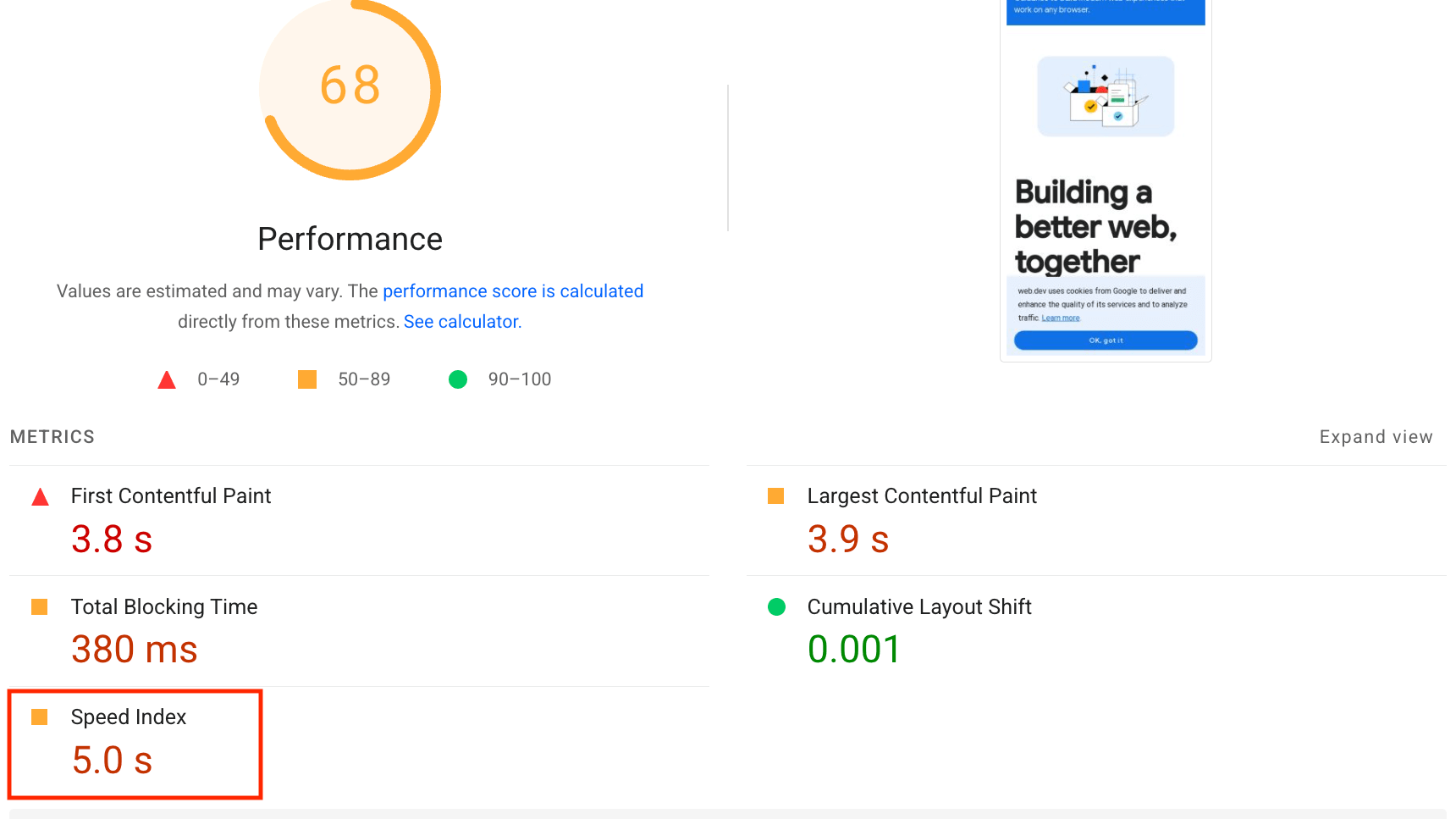
Site speed was one of the main focuses of this project.
Slow pages can frustrate users, especially when they are browsing an e-commerce website from mobile devices or slower connections. A visitor who has to wait several seconds for a page to become usable may simply leave and choose another website.
I analyzed the factors contributing to slow loading times, including large assets, unnecessary scripts, render-blocking resources, third-party code, inefficient page elements, and server-related performance.
Rather than applying random speed optimization techniques, I prioritized the changes that were most likely to improve real-world performance.
Reducing Unnecessary JavaScript and CSS
Modern websites often depend on JavaScript and CSS for animations, tracking, interactive elements, sliders, pop-ups, and other functionality.
However, loading too many unnecessary resources can increase the amount of work a browser needs to perform before a page becomes fully usable.
I reviewed the resources being loaded and looked for opportunities to reduce unnecessary code and delay non-critical resources.
Where possible, unnecessary scripts were removed or deferred, while critical resources were prioritized.
This helped improve the efficiency of page rendering without removing functionality that was important to the website.
Improving Mobile Performance
Mobile performance received special attention because a significant portion of modern website traffic comes from mobile devices.
A page that loads quickly on a powerful desktop computer may still feel slow on a mobile phone with a weaker processor or slower network connection.
I therefore evaluated the website from a mobile-first perspective and looked at how quickly important content became visible and interactive.
Large images, unnecessary scripts, layout shifts, and heavy page elements were reviewed to improve the overall mobile experience.
Addressing Core Web Vitals
I also considered Google’s Core Web Vitals as part of the performance analysis.
These metrics focus on important aspects of real-world user experience, including loading performance, responsiveness, and visual stability.
Instead of treating Core Web Vitals as numbers that simply needed to turn green, I looked at the underlying problems causing poor performance.
For example, if a page had a large visual element that affected loading performance, I investigated the asset and delivery method rather than simply trying to manipulate the score.
The objective was to improve the actual experience behind the metrics.
Improving Server and Hosting Performance
Website performance doesn’t always depend on the frontend.
Server response time can also have a significant effect on how quickly a website starts loading.
I reviewed the website’s server-side performance and looked for potential bottlenecks that could contribute to slow initial responses.
Caching, resource delivery, hosting configuration, and other performance factors were considered where relevant.
The goal was to reduce unnecessary delays before the browser could begin receiving and rendering the page.
Cleaning Up Unnecessary Pages and URLs
Another important part of the technical SEO process was identifying low-value URLs.
Large websites can accumulate pages over time that no longer serve a useful purpose. These might include outdated content, duplicate pages, unnecessary filter combinations, old URLs, or automatically generated pages.
I reviewed these URLs carefully rather than simply removing everything that looked unnecessary.
Where appropriate, pages could be redirected, consolidated, canonicalized, or excluded from search engine indexing depending on their purpose and value.
This helped create a cleaner and more focused website.
Improving Internal Linking
Technical SEO and internal linking are closely connected.
While reviewing the website structure, I also looked at how important pages were connected internally. Valuable pages should not be buried several clicks deep or left without meaningful internal links.
I improved internal linking between relevant categories, products, services, and supporting content.
This made navigation easier for visitors while also helping search engines discover and understand important pages.
Monitoring the Changes
After implementing the technical improvements, I didn’t consider the project finished.
Technical SEO requires monitoring because websites constantly change. New products are added, old pages are removed, plugins are updated, developers make changes, and new URLs can appear.
I therefore monitored important SEO and performance signals after the fixes were implemented.
I paid attention to crawling, indexing, page performance, organic visibility, errors, and other relevant signals to make sure the improvements were actually having the intended effect.
The Relationship Between Technical SEO and Organic Growth
One of the biggest lessons from this project was that technical SEO doesn’t exist separately from organic growth.
If search engines can’t efficiently crawl important pages, content optimization becomes less effective. If pages load slowly, users may leave before interacting with the content. If a website has a confusing architecture, both users and search engines may struggle to understand which pages are important.
That’s why I see technical SEO as the foundation underneath the rest of an SEO strategy.
Content, backlinks, keywords, and other SEO efforts become much more effective when the technical foundation is healthy.
My Technical SEO Approach
As Rupam Golder, I approach technical SEO by focusing on problems that can have a meaningful impact on the website rather than blindly following a checklist.
I start with a technical audit, identify the highest-priority issues, understand why those issues are happening, and then work through the fixes systematically.
My approach usually considers three main questions: Can search engines crawl the website efficiently? Can they understand and index the important pages correctly? And can users access and interact with those pages quickly and smoothly?
If the answer to all three is yes, the website has a much stronger foundation for long-term organic growth.
Final Thoughts
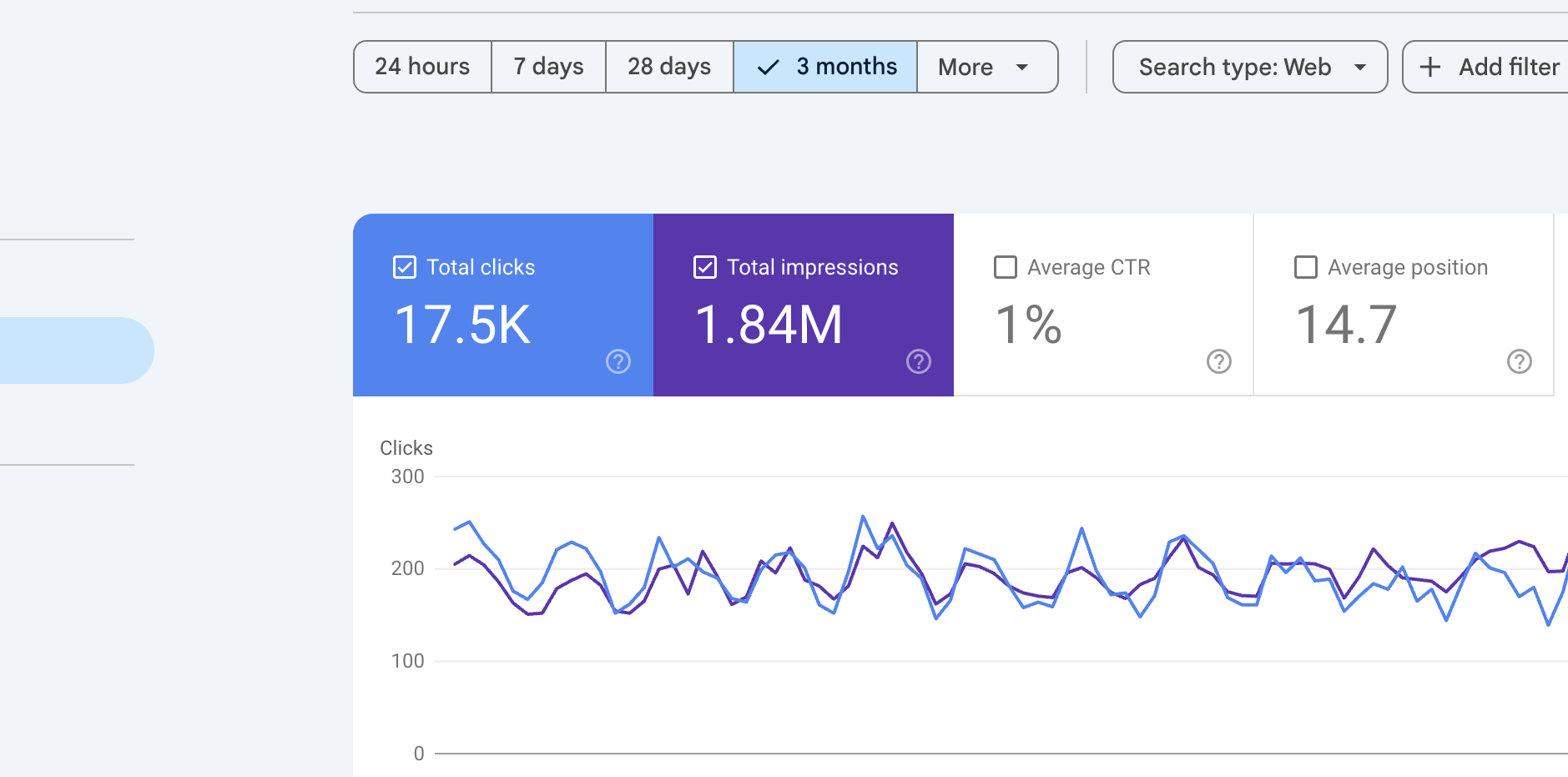
Technical SEO and site speed are not just technical tasks that happen in the background. They directly influence how efficiently search engines access a website and how users experience it.
By fixing crawlability problems, improving indexability, cleaning up URLs, strengthening website architecture, optimizing images, reducing unnecessary resources, improving mobile performance, and addressing page speed issues, a website can become significantly healthier from both an SEO and user-experience perspective.
The main takeaway from this project is simple: SEO starts with a technically sound website.
As Rupam Golder, my goal is not simply to make a website score better in a speed-testing tool. I focus on solving the underlying technical problems so that the website becomes faster, easier to crawl, easier to understand, and more useful for real users.
A strong technical foundation gives every other SEO activity a better chance to succeed—and that is why Technical SEO & Site Speed Fixes remain an essential part of any long-term organic growth strategy.